Ever wondered what your computer is secretly recording? System logs hold the answers—revealing everything from errors to user activity in stunning detail.




What Are System Logs and Why They Matter

System logs are digital footprints left behind by operating systems, applications, and network devices. They chronicle events like logins, errors, configuration changes, and system startups or shutdowns. These logs aren’t just technical noise—they’re essential for diagnosing problems, ensuring security, and maintaining compliance.
The Core Definition of System Logs
At their most basic, system logs are timestamped records generated by software and hardware components within a computing environment. Each entry typically includes a timestamp, event type, source (e.g., application or service), and a descriptive message. These logs are automatically created by the system’s kernel, services like SSH or Apache, and third-party applications.
- Logs are generated in real-time as events occur.
- They can be stored locally or sent to centralized logging servers.
- Common formats include plain text, JSON, or structured syslog.
“System logs are the first place you should look when something goes wrong.” — Linus Torvalds, Creator of Linux
Why System Logs Are Indispensable
Without system logs, troubleshooting would be like navigating a maze blindfolded. They provide visibility into system behavior, enabling administrators to detect anomalies, audit user actions, and meet regulatory requirements. For example, in healthcare or finance, retaining logs is often mandated by laws like HIPAA or SOX.
- Enable rapid incident response during outages.
- Support forensic investigations after security breaches.
- Help optimize performance by identifying resource bottlenecks.
According to the National Institute of Standards and Technology (NIST), effective log management is a cornerstone of cybersecurity frameworks.
Types of System Logs You Need to Know
Not all system logs are created equal. Different components generate distinct types of logs, each serving a unique purpose. Understanding these categories helps you pinpoint issues faster and build better monitoring strategies.
Operating System Logs
These are the backbone of system logging. On Unix-like systems (Linux, macOS), logs are typically found in the /var/log directory. Key files include syslog, auth.log, and kernel.log. Windows uses the Event Viewer with logs categorized as Application, Security, and System.
- Linux: Uses
rsyslogorsyslog-ngdaemons to manage logs. - Windows: Events are classified by ID (e.g., Event ID 4624 for successful logins).
- macOS: Combines BSD-style logging with Apple System Log (ASL) and Unified Logging System (ULS).
For deeper insights, check out the official rsyslog documentation, which explains how modern Linux systems handle high-volume logging.
Application Logs
Every application—from web servers like Apache and Nginx to databases like MySQL and PostgreSQL—generates its own logs. These logs track application-specific events such as HTTP requests, query errors, or connection timeouts.
- Apache logs:
access.loganderror.logreveal visitor behavior and server issues. - Database logs: Capture slow queries, failed connections, and transaction rollbacks.
- Custom apps: Often use logging libraries like Log4j (Java) or Winston (Node.js).
“If your app isn’t logging, it’s flying blind.” — DevOps Engineer, Anonymous
Security and Audit Logs
These logs focus on access control, authentication attempts, and policy violations. On Linux, auth.log records SSH logins, sudo usage, and failed password attempts. Windows Security logs track account logins, object access, and privilege changes.
- Used heavily in intrusion detection and compliance audits.
- Often integrated with SIEM (Security Information and Event Management) tools.
- Must be protected from tampering to maintain integrity.
The Center for Internet Security (CIS) benchmarks recommend enabling audit logging for all privileged operations. Learn more at cisecurity.org.
How System Logs Work Behind the Scenes
Understanding the mechanics of logging helps you design better systems and avoid common pitfalls. From log generation to storage, every step impacts reliability and performance.
Log Generation and Sources
Logs originate from various sources: the kernel, system services, daemons, and user applications. When an event occurs—like a failed login or a disk space warning—the relevant process writes a message to a logging facility.
- Messages are categorized by facility (e.g., auth, cron, kern) and severity level (debug, info, warning, error).
- Facility codes standardize where logs come from; severity levels indicate urgency.
- Modern systems use structured logging (e.g., JSON) for easier parsing.
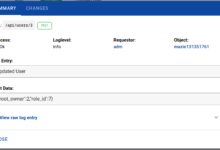
For example, a typical syslog entry might look like this:Jan 15 14:23:01 server sshd[1234]: Failed password for root from 192.168.1.100 port 22
The Role of Syslog Protocol
Syslog is the de facto standard for message logging. Defined in RFC 5424, it allows devices to send event notification messages across IP networks to a central server. This protocol supports both local and remote logging, making it ideal for distributed environments.
- Syslog uses UDP port 514 (or TCP for reliable delivery).
- Messages include a header (timestamp, hostname) and a structured or free-form message.
- Many firewalls, routers, and IoT devices support syslog natively.
The IETF RFC 5424 provides the full technical specification for the syslog protocol.
Log Storage and Rotation
Unmanaged logs can quickly consume disk space. That’s why log rotation is critical. Tools like logrotate on Linux automatically compress, archive, and delete old logs based on size or age.
- Rotated logs are often compressed (e.g., .gz) to save space.
- Policies can be set to keep logs for 30, 90, or 365 days.
- Centralized storage solutions (e.g., ELK Stack) scale better than local files.
For instance, a logrotate configuration might rotate Apache logs weekly and retain four weeks of history.
Key Benefits of Monitoring System Logs
Proactively monitoring system logs transforms raw data into actionable intelligence. Whether you’re managing a single server or a cloud infrastructure, the benefits are undeniable.
Real-Time Problem Detection
Logs allow you to catch issues before they escalate. A sudden spike in error messages might indicate a failing service or a DDoS attack. Real-time monitoring tools can trigger alerts via email, SMS, or Slack.
- Monitor for patterns like repeated login failures or disk full warnings.
- Use tools like Nagios or Zabbix to set up threshold-based alerts.
- Reduce mean time to detection (MTTD) and mean time to resolution (MTTR).
“The best way to predict the future is to monitor your logs.” — Site Reliability Engineer
Security Threat Identification
Malicious actors leave traces in system logs. Brute force attacks, port scans, and privilege escalations all generate detectable log entries. By analyzing these patterns, you can identify and block threats early.
- Look for multiple failed SSH attempts from the same IP.
- Detect unauthorized access to sensitive files or services.
- Correlate logs across systems to spot lateral movement.
The MITRE ATT&CK framework maps adversary tactics to observable log artifacts. Explore it at attack.mitre.org.
Compliance and Audit Readiness
Industries like finance, healthcare, and government require strict logging practices. Regulations such as GDPR, HIPAA, and PCI-DSS mandate log retention, integrity, and access controls.
- Logs must be stored securely and protected from unauthorized modification.
- Retention periods vary: PCI-DSS requires 1 year of logs, with 3 months immediately available.
- Auditors often request logs to verify policy enforcement.
Failure to maintain proper logs can result in fines or loss of certification.
Common Challenges with System Logs
Despite their value, managing system logs comes with significant challenges. From volume overload to inconsistent formats, these obstacles can undermine even the best monitoring efforts.
Log Volume and Noise
Modern systems generate massive amounts of log data. A single web server can produce gigabytes of logs daily. Sifting through this noise to find meaningful events is like finding a needle in a haystack.
- Verbose debug logs can drown out critical errors.
- Unstructured text makes automated analysis difficult.
- Storage costs rise with scale, especially in cloud environments.
One solution is to implement log filtering at the source—only sending high-severity events to central systems.
Inconsistent Formats and Sources
Logs from different systems often use incompatible formats. A Windows Event Log entry looks nothing like a Linux syslog message. This fragmentation complicates aggregation and analysis.
- Timestamp formats vary (e.g., ISO 8601 vs. Unix epoch).
- Severity levels have different names (e.g., “ERR” vs “Error”).
- Custom applications may use proprietary formats.
Adopting a standardized format like CEF (Common Event Format) or using parsers in tools like Logstash can help normalize data.
Security and Tampering Risks
If logs are stored on the same system they monitor, attackers who gain access can erase or alter them. This makes forensic analysis nearly impossible.
- Always forward logs to a remote, secure server.
- Use write-once storage or blockchain-based solutions for immutability.
- Enable log integrity checks using hashing (e.g., SHA-256).
“If the logs can be deleted, they’re not evidence.” — Cybersecurity Investigator
Best Practices for Managing System Logs
Effective log management isn’t just about collecting data—it’s about doing it right. Follow these best practices to ensure your system logs are reliable, secure, and useful.
Centralize Your Logs
Storing logs on individual servers is risky and inefficient. Centralized logging aggregates data from multiple sources into a single platform, making analysis and retention easier.
- Use tools like Elasticsearch, Fluentd, and Kibana (ELK Stack) or Graylog.
- Forward logs via syslog, agents, or APIs.
- Enable role-based access control (RBAC) for log viewers.
The ELK Stack is open-source and highly scalable. Get started at elastic.co/elk-stack.
Implement Log Rotation and Retention Policies
Define clear policies for how long logs are kept and when they’re archived or deleted. This balances compliance needs with storage costs.
- Set rotation based on size (e.g., rotate at 100MB) or time (daily/weekly).
- Archive old logs to cold storage (e.g., AWS S3 Glacier).
- Document retention rules and ensure they align with legal requirements.
For example, a typical policy might retain logs for 90 days online and 1 year offline.
Use Structured Logging
Instead of plain text, use structured formats like JSON. This makes logs machine-readable and easier to query.
- Include fields like
timestamp,level,service, andmessage. - Tools like Fluentd and Logstash can parse and enrich structured logs.
- Enables powerful filtering and visualization in dashboards.
Example of a structured log entry:{"timestamp": "2025-04-05T10:00:00Z", "level": "ERROR", "service": "auth", "message": "Failed login attempt", "ip": "192.168.1.100"}
Top Tools for Analyzing System Logs
Manual log inspection doesn’t scale. Fortunately, powerful tools exist to automate collection, analysis, and alerting on system logs.
ELK Stack (Elasticsearch, Logstash, Kibana)
The ELK Stack is one of the most popular open-source logging solutions. Elasticsearch stores and indexes logs, Logstash processes and enriches them, and Kibana provides dashboards and visualizations.
- Highly customizable with plugins and integrations.
- Supports real-time search and alerting.
- Used by companies like Netflix and Uber.
Visit elastic.co/guide for comprehensive documentation.
Graylog
Graylog is another open-source platform that simplifies log management. It offers a user-friendly interface, powerful search, and built-in alerting.
- Supports extractors to parse unstructured logs.
- Can scale horizontally across clusters.
- Includes role-based access and audit logging.
Learn more at graylog.org.
Cloud-Based Solutions: Splunk and Datadog
For enterprises, cloud platforms like Splunk and Datadog offer advanced analytics, AI-driven insights, and seamless integration with cloud infrastructure.
- Splunk excels in security and compliance use cases.
- Datadog provides unified monitoring for logs, metrics, and traces.
- Both offer free tiers and enterprise-grade scalability.
Splunk’s Machine Learning Toolkit can predict anomalies. Explore it at splunk.com.
What are system logs used for?
System logs are used for troubleshooting, security monitoring, performance optimization, and regulatory compliance. They help administrators understand system behavior, detect threats, and audit user activities.
Where are system logs stored on Linux?
On Linux, system logs are typically stored in the /var/log directory. Key files include /var/log/syslog, /var/log/auth.log, and /var/log/kern.log. The exact location may vary by distribution and configuration.
How do I view system logs on Windows?
On Windows, use the Event Viewer (eventvwr.msc) to view system logs. Logs are categorized under Windows Logs (Application, Security, System) and can be filtered, searched, and exported.
How long should system logs be retained?
Retention periods depend on regulatory requirements and organizational policies. Common durations are 30–90 days for operational needs, and up to 1 year or more for compliance (e.g., PCI-DSS requires 1 year).
Can system logs be forged or deleted?
Yes, if not properly secured. Attackers with administrative access can modify or delete local logs. To prevent this, forward logs to a remote, immutable storage system and enable integrity checks.
System logs are far more than technical artifacts—they’re the heartbeat of your IT infrastructure. From diagnosing crashes to thwarting cyberattacks, they provide the visibility needed to keep systems running smoothly and securely. By understanding their types, challenges, and best practices, and leveraging powerful tools like ELK or Splunk, you can turn raw log data into strategic insights. Whether you’re a sysadmin, developer, or security analyst, mastering system logs is a non-negotiable skill in today’s digital world.
Recommended for you 👇
Further Reading: